

01
Upload one clear photo
Add one clear front-facing portrait or full-body photo. Your facial features, hairstyle, and current outfit are preserved.
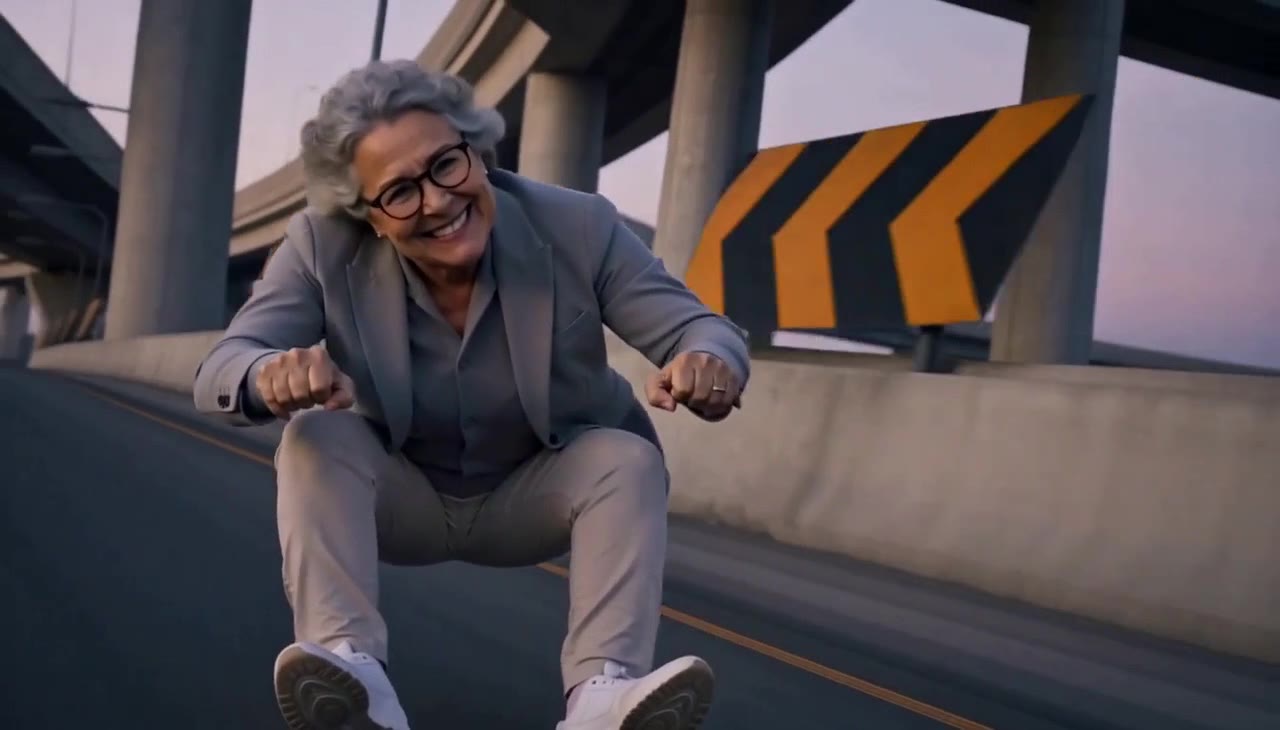
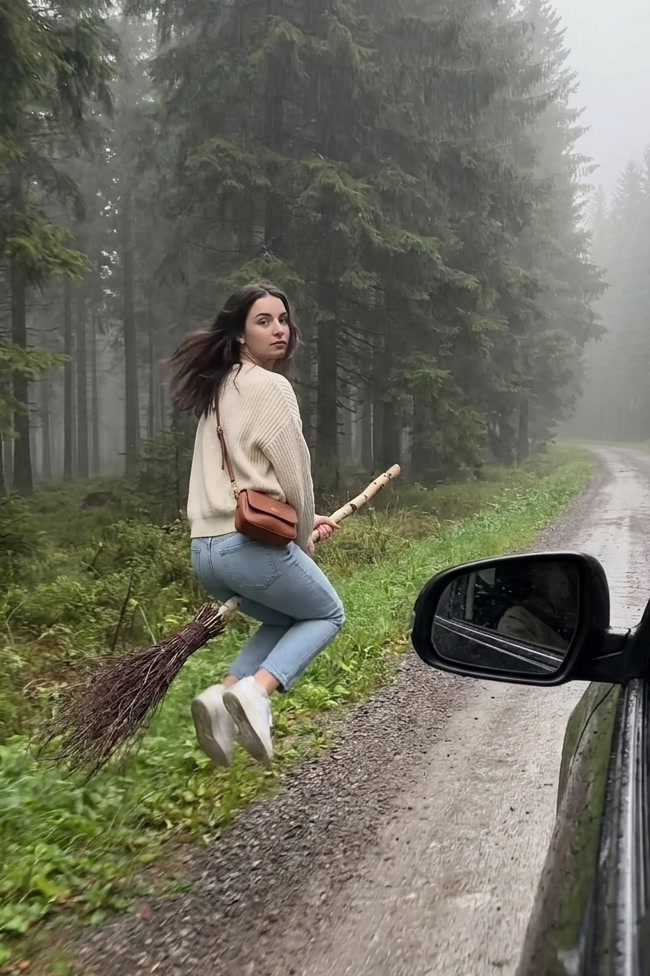
Transform one photo into the viral Witch Flying on Broom AI video trend. Walk beside a rolling car with a rustic twig broom, glance back, hop on and take off over misty forests and twilight skies in a 10-second vertical clip.
Make it yoursUpload one clear front-facing portrait or full-body photo. Keep your face and outfit visible.
 Witch Flying on Broom AI
Looking for another viral style? Explore all 20+ viral AI trends →
Walk beside a rolling car, hop on the broomstick, and soar into the sky. From one photo.
★ Concept image, not a generated video sample · Selected output: 10s · 720p · 9:16No green screens, CapCut templates, or prompt engineering required. Upload one photo and our AI foundation model animates your facial likeness into a seamless takeoff and breathtaking aerial flight over misty forests.
Add one clear front-facing portrait or full-body photo. Your facial features, hairstyle, and current outfit are preserved.
Pick 720P Standard HD or 1080P Pro with a 10-second vertical 9:16 flight (the viral standard for TikTok, Reels, and Shorts).
In 2 to 3 minutes, your cinematic MP4 video is ready to download with no watermark, ready to post with trending sounds.
THE MOODBOARD / 001The Witch Flying on Broom AI trend is a viral social media phenomenon where an everyday photo is transformed into a magical flight: you walk casually beside a slow-rolling car holding a rustic twig broomstick, shoot a knowing glance back at the camera, straddle the broom, and float effortlessly upward into the open sky.
As your broom ascends, the camera pulls back into an expansive cinematic panorama sweeping over misty pine forests, mountain ridges, and moonlit clouds. Powered by SeeAPI Seedance foundation video models, your exact facial identity, hair dynamics, and clothing are preserved with natural wind physics.
Buy once, create on demand. Each 10s 720P video uses 130 credits.
50 credits for one 8-second video at 480P. For effects supporting 8s; longer videos and HD need more credits.
100 credits. One 10s 720P video needs 130 credits; this pack alone is insufficient.
200 credits: 1 complete video at 130 credits each + 70 leftover credits.
500 credits: 3 complete videos at 130 credits each + 110 leftover credits.
Updated October 16, 2026
THE SHORT ANSWERTo do the Witch Flying on Broom AI trend, upload one clear photo to Burning Bridges AI (burningbridges.video/witch-flying-on-broom-ai-video), select 10 seconds vertical, and tap Generate. The AI renders a cinematic 10-second vertical video of you taking off on a broomstick over misty treetops in 2–3 minutes with no prompts, no CapCut, and no watermark.
Do the Burning Bridges AI party clip, the Zombie Couple AI reunion, the Zombie Love Story choice, or browse every AI video effect.
Questions about your video?
support@burningbridges.video
The Witch Flying on Broom AI Video Generator on Burning Bridges AI (burningbridges.video) turns a single portrait into the viral TikTok trend: you walk casually beside a rolling car with a rustic broomstick, glance at the camera with a sly smirk, hop on, and float weightlessly into the sky over misty pine forests in a continuous 10-second vertical 9:16 video.
To make a Witch Flying on Broom AI video, upload one clear front-facing portrait or full-body photo, choose your quality (720P Standard HD or 1080P Pro) and duration (10 seconds is the viral TikTok standard), then click Generate. In about 2 to 3 minutes, your watermark-free video is rendered and ready to download.
Upload your photo to Burning Bridges AI at /witch-flying-on-broom-ai-video, generate your 10-second 9:16 vertical clip, and download the finished MP4. When uploading to TikTok or Instagram Reels, search for trending audio like "My ride is here" or Halloween whimsical soundtracks, add the sound, and publish with hashtags like #witchbroom, #witchflying, and #aivideotrend.
Yes! Any clear photo of yourself works. For best results, use a sharp, well-lit portrait or full-body picture where your face, hair, and upper body are clearly visible. Everyday casual clothes or gothic/autumnal outfits both adapt naturally to the broom flight.
No. Unlike traditional TikTok tutorials that require complex CapCut keyframing, masking, and chroma-keying, Burning Bridges AI generates the entire 3D motion, camera trajectory, and flying physics in the cloud in your browser with zero editing needed.
Generating a video uses flexible credits: 50 credits for 480P Fast, 100 credits for 720P Standard HD, or 200 credits for 1080P Pro for 8-second clips, and 130 credits for the recommended 10-second standard. One-time credit packs start at $9.90 (100 credits) with no recurring monthly subscriptions, credits never expire, and any failed render is 100% automatically refunded.
Yes. All completed Witch Flying on Broom AI videos export as clean, watermark-free high-definition MP4 files that you own with full personal and commercial posting rights.
Burning Bridges AI features advanced Seedance-2 reference-to-video foundation models that retain realistic facial geometry and natural hair wind dynamics throughout a smooth 10-second continuous flight, delivers watermark-free HD exports, offers transparent one-time credit packs with automatic refund protection, and requires no app downloads.